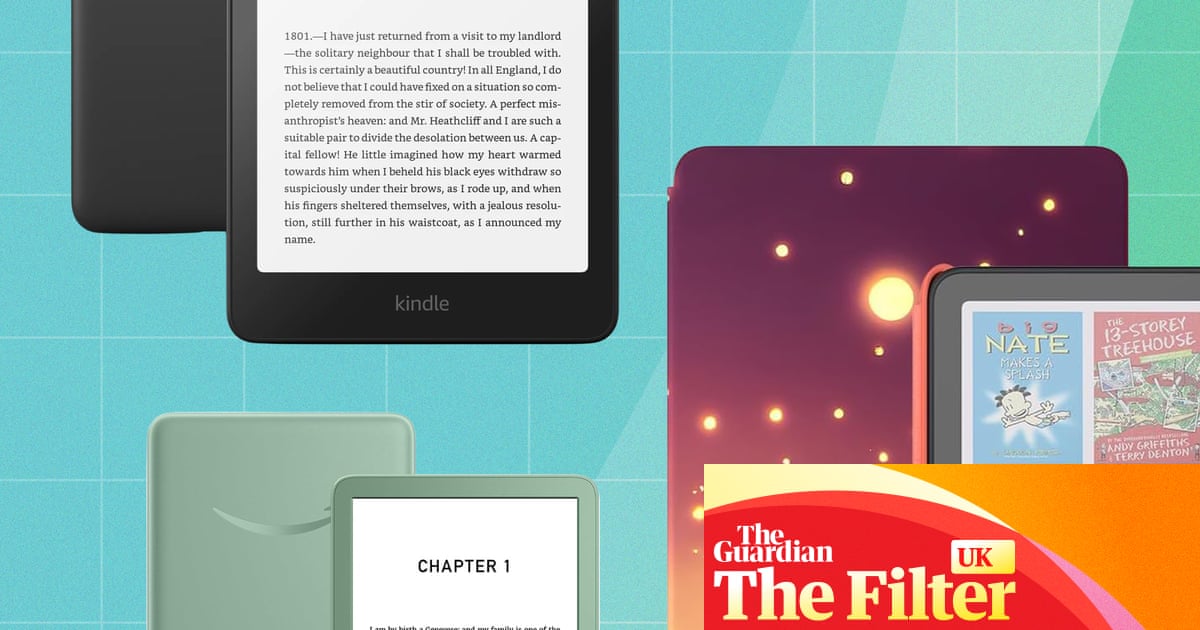

The best Kindles in the UK for every bookworm and budget â tested
Whether you want a colour screen, somewhere to scribble notes or a child-friendly model, hereâÂÂs what we recommend from AmazonâÂÂs e-reader range
From that fresh paperback smell to the wrinkles in the spine, nothing beats a real book. But if youâÂÂre sick of the space they take up in your home, or the weight they steal from your holiday luggage allowance, it might be worth considering an Amazon Kindle. It can fit thousands of weighty reads into as little as 158g, and as tech goes, itâÂÂs almost immune to the sort of pathological time-wasting features that come with modern phones and tablets.
Amazon Kindles have been available in the UK for more than 15 years, so theyâÂÂre an old-school gadget at this point. But in 2024, the biggest update yet arrived: colour, which added an important extra option to the existing Kindle lineup, alongside readers for children, for note-taking and for tighter budgets.
With so many modern versions available now, I spent months testing them to analyse their pros and cons to help you find the best Kindle for your needs.
A note on KindleâÂÂs next generation
Amazon clearly has a sense of humour, because no less than one day after IâÂÂd finished writing this guide the brand announced a whole new range of Kindles. I will keep this page updated with how the new line compares once I have fully tested them.
Available to preorder ahead of their release on 11 November, the Kindle Paperwhite and Colorsoft will be a little lighter and thinner than their predecessors, with a fetching new array of colours.
More significant changes have been made to the Signature Edition models, trading plastic backing for an aluminium one. But itâÂÂs the basic Kindle thatâÂÂll get the biggest upgrade, with the raised screen border replaced for a flat end-to-end design like the Paperwhite. There are Kids editions of these e-readers coming, too.
The good news about fresh launches is that the models tested here are far more likely to be slashed in price, so you could save some money.
At a glance
Best Kindle overall
ã184.99 at Amazon
Kindle Paperwhite (2024)Best budget Kindle
ã134.99 at Argos
Amazon Kindle (2024)Best Kindle for kids
ã274.99 at John Lewis
Kindle Colorsoft KidsBest Kindle for note-taking
ã569 at Amazon
Kindle Scribe ColorsoftBest budget Kindle for kids
ã159.99 at John Lewis
Kindle KidsBest colour Kindle
ã239.99 at Amazon
Kindle Colorsoft (2024)
Why you should trust me
IâÂÂm a long-term e-reader user; I first tried one in place of paperbacks in 2009, the Sony PRS-505, a year before the first Kindle arrived in the UK. Since then I have tested almost every member of the Kindle family going. From the Kindle Fire HD (which some say never deserved the Kindle name at all because itâÂÂs more tablet than e-reader) to fondly remembered classics such as the Kindle Voyage and Oasis, IâÂÂve lived with them all, for better and worse. I keep coming back to Kindles over other e-readers for their simplicity and reliability â and for AmazonâÂÂs ever-changing Kindle book sales.
Most of my book reading is done on e-readers these days. Light, portable and ideal for bedtime reading, e-readers are among my favourite pieces of tech â even if nothing can quite replace the nostalgic charm of a real paperback.
How I tested

To test a Kindle, you need to live with one for a while. Many keep ebook readers for a decade or more â they can be remarkably long-lasting â so a cursory test wasnâÂÂt going to cut it.
While IâÂÂve tried each of these devices as my personal e-reader for several weeks (at the very least), IâÂÂve used the key Colorsoft and Paperwhite readers for about six months, on and off. And for the Kindles designed to offer more than just reading, such as the Kindle Scribe, I wrapped them into my day-to-day routine, using the Scribe (for example) in place of a paper to-do list.
Unlike a tablet, raw power is not important in e-readers. Page-turn speed does matter, but is now good across the whole Kindle lineup. What matters more is how comfortable the screen is to read from, how comfortable the e-reader is to hold, and of course how well it slots into your day-to-day life.
Any remaining devices from this Kindle group test will be donated to Cancer Research UK.
The best Kindles in 2026

Best Kindle overall:
Kindle Paperwhite (2024)

The reading experience and practicality are hard to beat
So familiar that itâÂÂs a bit boring in 2026

To my mind, AmazonâÂÂs best Kindle e-reader is still the Paperwhite. It has been around since 2012, and has been slowly, gradually and conservatively tweaked since. You canâÂÂt mess with perfection all that much, apparently.
This best overall ranking is based on one key assumption: above all else, you want to use your Kindle to read novels.
Why we love it
AmazonâÂÂs 2024 Paperwhite has a 7in screen, which is fractionally bigger than the previous version. ItâÂÂs exceptionally clear and clean-looking, with a whiter, less fuzzy-looking page background than the Colorsoft, which makes it easier to read outdoors in direct sunlight.
This is one of the highest-contrast screens youâÂÂll find in the e-reader kingdom, which is pretty important when one of the original selling points of e-readers was lower eye strain. A Paperwhite makes an hour with Agatha Christie feel like moisturising your eyeballs, relatively speaking.
This is also as close as you get to a take-anywhere e-reader. It has excellent water resistance and weighs only 211g. For frequent getaway travellers, it could pay for itself purely in RyanairâÂÂs oversized baggage fees.
How waterproof is it? The official line is the IPX8 design can handle âÂÂ2 metres of fresh water for up to 60 minutes and 0.25 metres for 3 minutes in seawaterâÂÂ. I havenâÂÂt dropped it in the sea, but may have dropped the Paperwhite in the bath a few times without incident.
Its ergonomics are simple but excellent â one-handed reading is a joy â and while the interface hasnâÂÂt changed all that much in years, itâÂÂs easy to understand.
ItâÂÂs a shame that ⦠thereâÂÂs no pen stylus support for note-taking, or speaker for audiobooks. ItâÂÂs all unnecessary fluff if youâÂÂre here for reading, and you can stream audiobooks to headphones or a speaker over Bluetooth, but it is worth noting.
The real readerâÂÂs conundrum: how much of a turn-off is it that you canâÂÂt borrow books from UK libraries? ItâÂÂs on offer in Kobo and PocketBook models, but not here, or on any of AmazonâÂÂs Kindle line.
A Paperwhite could have also been the perfect vehicle for two features it lacks: page-turn buttons and a textured glass screen.
Buttons let you move your hands even less when turning the page, and glass is much harder than the plastic screen on the Paperwhite and therefore less susceptible to scratching. And while glass could add to the weight, the older glass-screened Kindles â the Voyage and Oasis â were actually lighter than this Paperwhite, at 180-188g.
Display: 7in monochrome E Ink
Storage size: 16/32GB (Signature Edition)
Dimensions: 127.5 x 7.8 x 176.7mm (WDH)
Weight: 211g
The reading experience and practicality are hard to beat
So familiar that itâÂÂs a bit boring in 2026
Best budget Kindle:
Kindle (2024)

Pocketable, affordable and light
Not slick-looking or â more importantly â water resistant

This is AmazonâÂÂs smaller, humbler, more affordable Kindle, but it is still an excellent e-reader. In fact, for reading, the basic Kindle beats some more expensive models in some important display quality features.
It has a 6in display rather than the PaperwhiteâÂÂs 7in; the screen has a raised bezel rather than a flush front; and the light doesnâÂÂt have adjustable warmth, just intensity.
Why we love it
The basic Kindle is near-unbeatable as an e-reader thatâÂÂs large enough to act as your sole reading device, yet small enough to fit in a surprising array of pockets (especially now that skinny jeans have more or less been exiled to fashionâÂÂs Room 101).
It also needs less careful treatment than some other Kindles. Its raised border means you can place it face down on a table without worrying as much about sand or grit scratching the screen. While e-reader screens are fairly resilient, theyâÂÂre not immune to surface scratches.
I found that contrast, text clarity and overall punchiness of the screen are on the same level as the Kindle Paperwhite, too. In testing, it was clear as anything, day or night, thanks to the front light.
ItâÂÂs a shame that ⦠the Paperwhite is not a glamorous piece of tech, but it does offer some advantages over this more basic model. The KindleâÂÂs raised bezel casts a shadow on the screen in some light conditions that may annoy some â although I can almost guarantee youâÂÂll get used to it.
There are two obvious practical concessions to consider, too. No water resistance means caution is required at bath time, and a smaller screen also means more page turns unless you can make do with smaller text. The larger you like (or need) your text, the more this stands out. For bedtime, a larger screen can be more comfortable in the weight-to-page-turn ratio.
Display: 6in monochrome E Ink
Storage size: 16GB
Dimensions: 108.6 x 8 x 157.8mm (WDH)
Weight: 158g
Pocketable, affordable and light
Not slick-looking or â more importantly â water resistant
Best Kindle for kids:
Kindle Colorsoft Kids

ItâÂÂs an educational tool with just enough of a fun edge
Not cheap, and colour is a little muted

Some will say the ideal Kindle for kids is the cheapest one. But parents are in a war for reading v TikTok, YouTube and God knows what else. A Kindle Colorsoft Kids is arguably the most benign screen going.
This is actually the same hardware as the standard Kindle Colorsoft, bundled with a loud and colourful case and a slightly different two-year warranty. That means it can grow with them â or you can co-opt the reader yourself if your child loses interest.
Why we love it
Many will have memories of rifling through books to find the illustrations as a child, or picking a book solely on the merits of its cover. A Kindle Colorsoft Kids retains more of that charm than the monochrome alternative thanks to its colour screen and vibrant case.
A 12-month Amazon Kids+ subscription is included with the Kindle Colorsoft Kids, helping you make the most of that too. After the first year, it costs ã7.99 a month (or ã6.99 if youâÂÂre a Prime member) and grants access to loads of child-friendly content, including games and apps as well as books. Parents of comic book obsessives will probably have to pay for some of that content separately because the Kids+ library is mostly limited to primary-school-age-appropriate content, while Kindle Unlimited (ã9.49 a month) includes lots of Batman and Spider-Man graphic novels for slightly older kids.
The water resistance and all-round ruggedness of this e-reader pair well with AmazonâÂÂs âÂÂworry-freeâ warranty â âÂÂif it breaks, weâÂÂll replace it,â to use AmazonâÂÂs own wording. While the warranty does come with caveats, it still offers some peace of mind.
ItâÂÂs a shame that ⦠children arenâÂÂt always the best at managing their expectations, and some may be disappointed with the Colorsoft Kids as a result. Its colour is muted, which is all the more obvious if they also have access to a tablet or smartphone.
A screen this size is also not ideal for comics and graphic novels, as itâÂÂs much smaller than they were designed to be read. ItâÂÂs best described as a gadget for novels that can also handle other content.
Display: 7in colour E Ink
Storage size: 16GB
Dimensions: 132.2 x 12.7 x 178mm (WDH, including case)
Weight: 334g (including case)
ItâÂÂs an educational tool with just enough of a fun edge
Not cheap, and colour is a little muted
Best Kindle for note-taking:
Kindle Scribe Colorsoft

Colour note-taking is great, and we finally get easy OCR
It costs a small fortune considering its limitations

Think of the Scribe Colorsoft as the grownup version of my top pick for kids. It includes a stylus for highlighting text and writing notes, and you can email your notes as PDFs with or without OCR (optical character recognition), which turns your handwriting into standard text for copying and pasting into documents.
Why we love it
The Scribe series is where Amazon lets more tablet influence enter the wider Kindle series design. It has a slim aluminium rear casing, which recently became an option in the Signature Editions of AmazonâÂÂs new-for-2026 models. ItâÂÂs slick and super-slim at just 5.4mm thick.
A Kindle display will never have the slight give of a paper notebook, but you become accustomed to scrawling on it fairly quickly. And unlike an iPad, the stylus is included rather than costing a small fortune.
The screen is a stylus-friendly, smooth textured glass for a paper-like drawing and handwriting feel. But it has an end-to-end flat design, so it should be used with caution to avoid scratches. Drawing or writing with it has minimal lag, even though the Kindle Scribe Colorsoft is nowhere near as powerful as an iPad.
Sticking to the style seen throughout the series, Amazon keeps things simple with the Scribe Colorsoft. You can annotate books and PDFs and create your own notebooks. Since its UK release in April 2026, it has evolved to turn handwritten text into digital text you can copy and paste without emailing it to yourself â which always felt desperately clunky to me in the ScribeâÂÂs early days.
ItâÂÂs a shame that ⦠the Scribe Colorsoft is AmazonâÂÂs most expensive device in this class, and it doesnâÂÂt have any form of water resistance, unlike the more ordinary e-readers. Sure, youâÂÂre less likely to need a Scribe in the bath, but itâÂÂs a shame nevertheless.
Some will also feel hemmed in by the software, which â despite AmazonâÂÂs deployment of the buzzword âÂÂAIâ in the marketing â does not feel all that smart. Sketched objects beyond basic shapes canâÂÂt be cleaned up into digital object equivalents, and thereâÂÂs no support for layers, which is standard stuff for graphics tablets and lets you edit elements of a piece of digital art separately.
This is the other side of the Scribe seriesâ inviting simplicity. It could also be seen as basic or, in some areas, clunky. Given the very high cost, that may well sting.
Display: 11in colour E Ink
Storage size: 32/64GB
Dimensions: 189 x 5.4 x 245mm (WDH)
Weight: 400g
Colour note-taking is great, and we finally get easy OCR
It costs a small fortune considering its limitations
Best budget Kindle for kids:
Kindle Kids

Worry-free guarantee provides peace of mind
The design could and should be a bit more fun

The Kindle Kids deserves a nod for those shopping for a younger crowd, not least because the price of my top kidsâ pick may have left a few open-mouthed.
This is effectively the basic Kindle model set up as a child-friendly e-reader by default, with a better warranty and a bundled cover. For a bit extra, itâÂÂs a sound deal.
Why we love it
Like the Kindle Colorsoft Kids above, this model features AmazonâÂÂs two-year âÂÂworry-freeâ guarantee, which assures customers âÂÂif it breaks, weâÂÂll replace itâÂÂ. Add the included sturdy flip-cover case plus six months of the up-to-ã7.99-a-month Kids+ subscription, and the ã25 bump from the basic Kindle seems like a steal.
ThereâÂÂs nothing stopping you from using the Kindle Kids as an adult e-reader if your child grows out of it or gets bored either. You just switch to an adult profile.
ItâÂÂs a shame that ⦠colour in the Kindle Kids design is limited to the bundled cover. The device body is black only, even though the adult Kindle comes in green too â granted, this would probably clash horribly with the cases.
And while weâÂÂre at it, how about a few more case options? There are only three, and two are roughly sea themed â you can call it a âÂÂspace whaleâÂÂ, but weâÂÂre still looking at a creature of the ocean.
Display: 6in monochrome E Ink
Storage size: 16GB
Dimensions: 114.4 x 13.6 x 158.8mm (WDH)
Weight: 256g (including cover)
Worry-free guarantee provides peace of mind
The design could and should be a bit more fun
Best colour Kindle:
Kindle Colorsoft (2024)

ItâÂÂs what many of us have always wanted: a colour e-reader
Rubber border deteriorated during testing

Many long-term e-reader fans had been waiting for years for a colour Kindle when it finally arrived in the UK in 2024. At long last, we could judge books by their colour covers instead of monochrome ones. And the dream, for some, of reading comics on the go without tablet eye strain was realised â sort of.
Why we love it
Amazon technically gave us what many people were asking for before the Colorsoft arrived â a Paperwhite, but with a colour screen. Almost everything else remains the same.
The design, weight, and in-hand feel while reading are all similar, letting Paperwhite owners transition as comfortably as possible. And even though its battery is rated a little lower â eight weeks compared with the PaperwhiteâÂÂs 12 â I didnâÂÂt find the drop too obvious in testing.
ItâÂÂs a shame that ⦠many people IâÂÂve shown the Colorsoft to have been, to be blunt, disappointed. The technology here is a work in progress, and as with a lot of current-generation colour e-readers, its punch and depth are muted and gradients tend not to look all that refined.
ThatâÂÂs because its colour is produced using a separate screen layer that ends up making the âÂÂwhiteâ of your e-reader page far more grey than a Paperwhite. That means you really need to use the display light all the time, which can impact battery life. I still found it to be a long-lasting device, however.
A word of warning: I donâÂÂt recommend using a Kindle Colorsoft without a case. After six months of testing, the protective rubber border between the screen and the casing became extremely tatty.
Display: 7in colour E Ink
Storage size: 16/32GB
Dimensions: 127.6 x 7.8 x 176.7mm (WDH)
Weight: 16GB, 215g; 32GB, 219g
ItâÂÂs what many of us have always wanted: a colour e-reader
Rubber border deteriorated during testing
The best of the rest
Kindle Scribe (2024)

A savvy choice if youâÂÂre looking for a digital notebook
The Scribe Colorsoft is a better option for most people

Best for: a digital notebook
This isnâÂÂt quite the Scribe Colorsoft minus the colour screen, as it has a slightly different design. AmazonâÂÂs monochrome model has a chunky thumb grip on one side in its 2024 iteration, which was binned in a 2025 design refresh. At the time of writing, you can buy either model, but I tested the older variant.
A premium stylus (worth ã79) is included with this model, making it an all-in-one package that makes a lot of financial sense if you plan on using it as a digital notebook and arenâÂÂt too fussed about having a colourful display.
It didnâÂÂt make the final cut because ⦠itâÂÂs a simple one. I felt colour may have an even bigger impact for Scribe users than Paperwhite ones. Colour only makes occasional meaningful appearances in novels. But for note-taking, PDFs and looking over presentation documents? ItâÂÂs a big part of the equation. If youâÂÂre looking for a note-taking Kindle, IâÂÂd suggest the Scribe Colorsoft.
That said, those not bothered about colour should obviously pick the standard Scribe as it is significantly cheaper. And it also has higher display contrast.
Display: 10.2in monochrome E Ink
Storage size: 64GB
Dimensions: 196 x 5.7 x 230mm (WDH)
Weight: 433g
A savvy choice if youâÂÂre looking for a digital notebook
The Scribe Colorsoft is a better option for most people
What you need to know

Can you borrow library books with a Kindle?
Kindles cannot borrow ebooks from digital lending libraries in the UK.
The two common digital book-borrowing services used across the UK are BorrowBox and OverDriveâÂÂs Libby. Unfortunately, Kindles donâÂÂt support either of these platforms in the UK. Kindle users in the US do, however, get to borrow books through OverDrive.
To get library book loans, consider a Kobo or PocketBook e-reader. Both support Libby. Head to your local library to see whether it supports such loans with a membership.
What Kindle accessories are worth having?
A case is highly recommended, particularly if you use a Kindle Colorsoft or Paperwhite. I learned the hard way. These e-readers have a border layer of rubbery material that sits between the rear casing and the screen. It acts as handy impact protection, but can become tatty through general wear in a few months if thereâÂÂs no case to help out.
AmazonâÂÂs own Kindle cases are good quality, if a little expensive, but alternatives are available. If you mostly read in bed, you may want to try one with a hand strap, which IâÂÂve enjoyed using in the past.
Does a Prime membership come with free Kindle books?
An Amazon Prime membership doesnâÂÂt include Kindle Unlimited, but Prime Reading does provide access to a rotating but limited library of titles â the number of included novels tots up to a figure in the low thousands.
ThatâÂÂs plenty to be getting on with for the casual fiction fan, but itâÂÂs going to be down to luck if a book you already want to read happens to be in there. It has never happened to me.
Prime Reading is a borrowing service. You donâÂÂt have permanent access to these books once you pick them, but you can borrow up to 10 at a time for as long as you have an active Prime membership.
Is Kindle Unlimited worth it?
Kindle Unlimited costs ã9.49 a month and includes âÂÂunlimited accessâ to a large number of books, audiobooks and magazines.
There are a couple of limitations, though. You can borrow up to 20 titles at once, but unlike a library loan, there are no return dates. For most, this wonâÂÂt be a major limitation, especially since you can just âÂÂreturnâ one of the books if you hit the limit and want something new.
The Kindle Unlimited collection doesnâÂÂt encompass the entire Kindle library either, giving access to about 4m titles. (Amazon doesnâÂÂt publish stats on how many books are in the full Kindle library, but some estimates have the figure at above 10m.) As such, if you are the kind of person who gets your heart set on reading something specific, you may find Unlimited frustrating.
Happy to have a browse and pick something from a glance at its cover, summary or reader reviews? It could end up a real bargain for the voracious readers out there. You can try a month for free, and occasionally longer trials are available too. You can check over at the Kindle Unlimited landing page.
What to do with your old Kindle
Kindles can fetch a good price secondhand on platforms such as eBay or Vinted. The main turn-off for buyers is usually scratches or damage to the screen. Alternatively, CeX accepts Kindles, although phone trade-in fave musicMagpie does not.
If this sounds like too much effort, Amazon has a trade-in scheme for many sorts of Kindles â although you wonâÂÂt get much for older-generation models â and youâÂÂll get a 20% discount off a new Kindle. Digging a little deeper into the terms and conditions, your old Kindle needs to work, hold charge, be free of cracks and defects, and have no stickers or decals on the screen. Otherwise, your trade-in value will tank.
How do you get a refurbished or cheap Kindle?
Amazon sells refurbished Kindles at a slight discount. And while you donâÂÂt quite get the level of promised quality that AppleâÂÂs Certified Refurbished iPads have â including a guaranteed new casing and battery, for example â Amazon does claim a refurb should âÂÂlook and work like newâÂÂ.
If youâÂÂd rather buy a brand-new device, itâÂÂs probably a good idea to wait for one of AmazonâÂÂs sales. Such sales periods are the best time to buy a Kindle.
These are typically Black Friday in November and Prime Day in the summer, with additional sales in October and around Christmas. IâÂÂve seen sub-ã100 refurbished Kindle Paperwhites during these sales, representing ã44 off the current refurbished price, ã85 off the âÂÂnewâ cost.
When you buy most Kindles, you have the option to buy it âÂÂwith adsâ or without, and thereâÂÂs a ã10 to ã15 saving if you pick the ads version. That means adverts will be displayed on the lockscreen when the e-reader is not in use.
However, you can also upgrade a Kindle with ads to ad-free software for a one-off fee whenever you like.
Are Signature Editions worth it?
The Paperwhite and Colorsoft are available as Signature Edition models at a price bump. Upgrades include wireless charging, double the storage and an auto-adjusting front light. By tech standards, itâÂÂs not a pricey upgrade. However, none are all that noticeable unless youâÂÂre a real wireless-charging household.
Kindle batteries last for several weeks, and getting close to running out of storage isnâÂÂt something most need to worry about. And the auto-screen-brightness feature is far less reactive than that of a phone, at times making you wonder if itâÂÂs doing anything at all.
How much recycled material do Kindles use?
Like several of the key tech manufacturers, Amazon likes to talk up the recycled materials used in its key products. All Kindle packaging uses 99% materials from âÂÂresponsibly managed forests or recycled sourcesâÂÂ. HereâÂÂs how the devices themselves stack up:
-
Kindle Paperwhite (2024) â 29% recycled materials in total, internal frame is 90% recycled magnesium
-
Kindle Colorsoft (2024) â 28% recycled materials in total, battery uses 100% recycled cobalt
-
Kindle (basic) â 75% recycled plastics, 90% recycled magnesium
-
Scribe (2024) â 18% recycled materials in total, 100% recycled aluminium
-
Scribe Colorsoft (2025) â 11% recycled materials in total, battery uses 100% recycled cobalt
Amazon provides a sustainability data sheet for all key models on its sustainability website.
For more, read the best e-readers and the 100 best novels of all time
Andrew Williams is a consumer journalist who has written about technology since before the first iPhone came out. As his flat is filled with the cardboard boxes of gadgets, he tries to get out for a run whenever possible to avoid them â often while testing a fitness tracker and a phone camera at the same time