
Great hardware let down by software flaws on these pricey machines that combine ChromeOS with Android
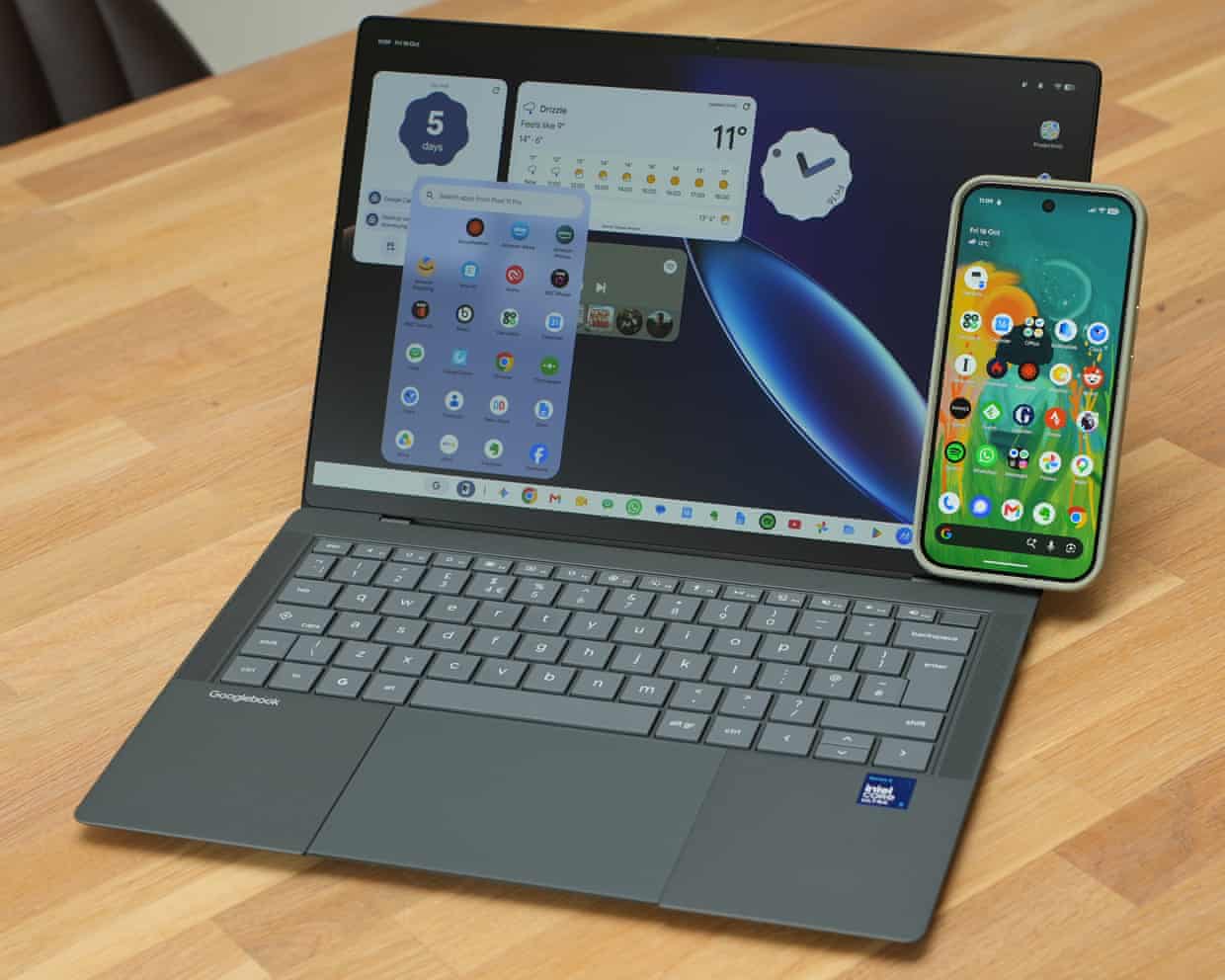
GoogleâÂÂs attempt to create a new type of laptop to compete with Windows and macOS machines is finally here, combining the best of ChromeOS and Android into the new Googlebook. With advanced links to Android phones and the best of Google built in, can these Googlebooks really compete with a MacBook Air or Surface Laptop? I took two for a spin to find out.
For years, Chromebooks have been the boss of budget laptops, but Googlebooks take a different, far more premium approach. Made by a range of traditional PC makers, including Acer, Asus, Dell, HP and Lenovo, they start at ã999 (â¬1,099/$899/A$2,299) â a far cry from the ã160 Chromebooks.
While Google does not make these machines directly, it has set strict hardware quality standards that the laptops must reach. That includes backlit keyboards, haptic trackpads, fingerprint readers, crisp touchscreens, decent speakers and modern fast chips with at least 16GB of RAM.
It is a list of specs you should expect with a premium Windows PC, but those start at a much higher price, primarily thanks to RAMageddon.
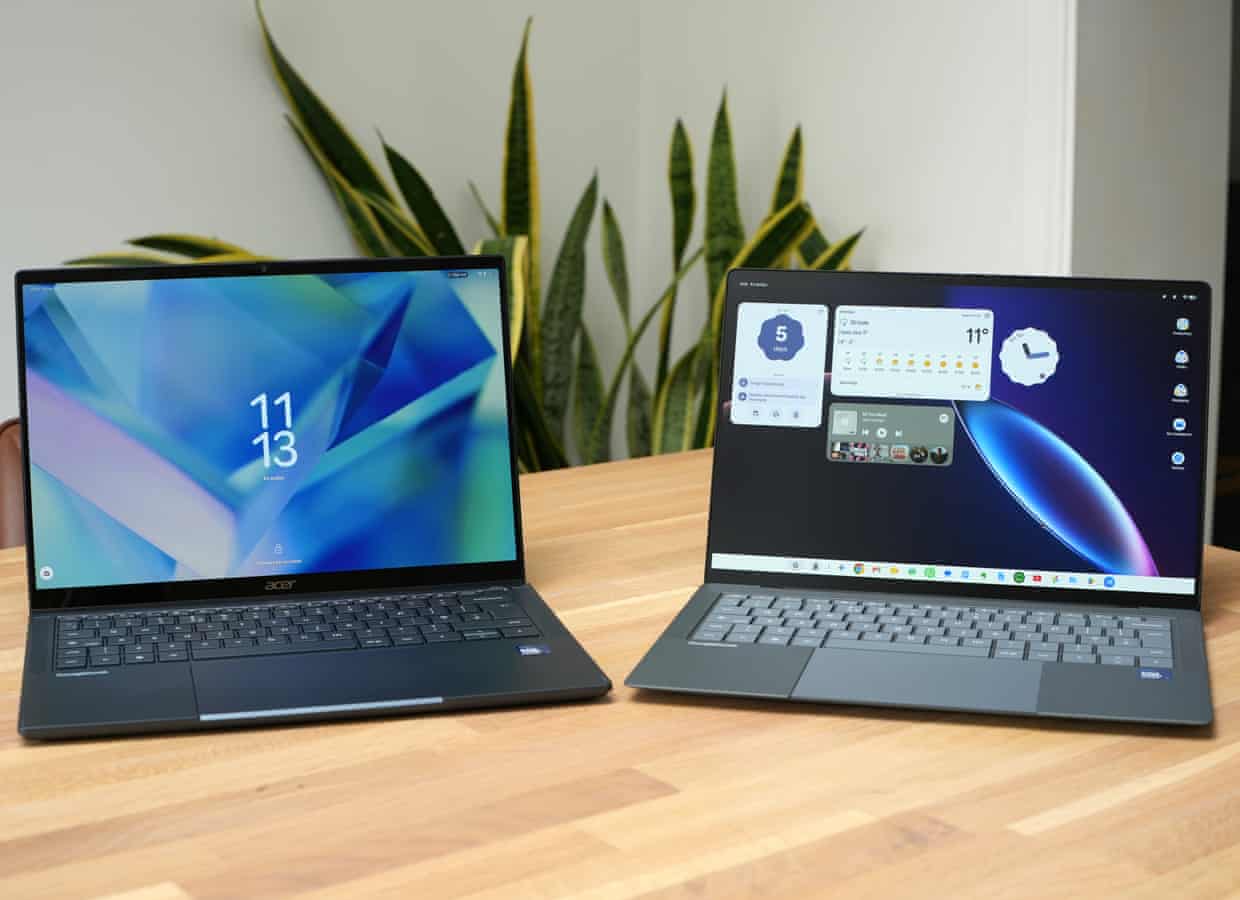
As such, the Acer Googlebook 14 and the Asus Googlebook 14 IâÂÂve been testing have excellent hardware with satisfying keyboards, great trackpads and quality screens.
The Acer is a convertible that allows the screen to fold over the back of the device turning into a tablet of sorts. It is 1.14kg and 13.9mm thick, with a glossy 14in 3K OLED screen and a smooth aluminium-magnesium body, costing ã999.99.
The Asus is a traditional laptop with a matt 14in 3K OLED screen and a magnesium-alloy body that weighs just 0.99kg and is 11mm thick, costing ã1,199.99.
Googlebook OS
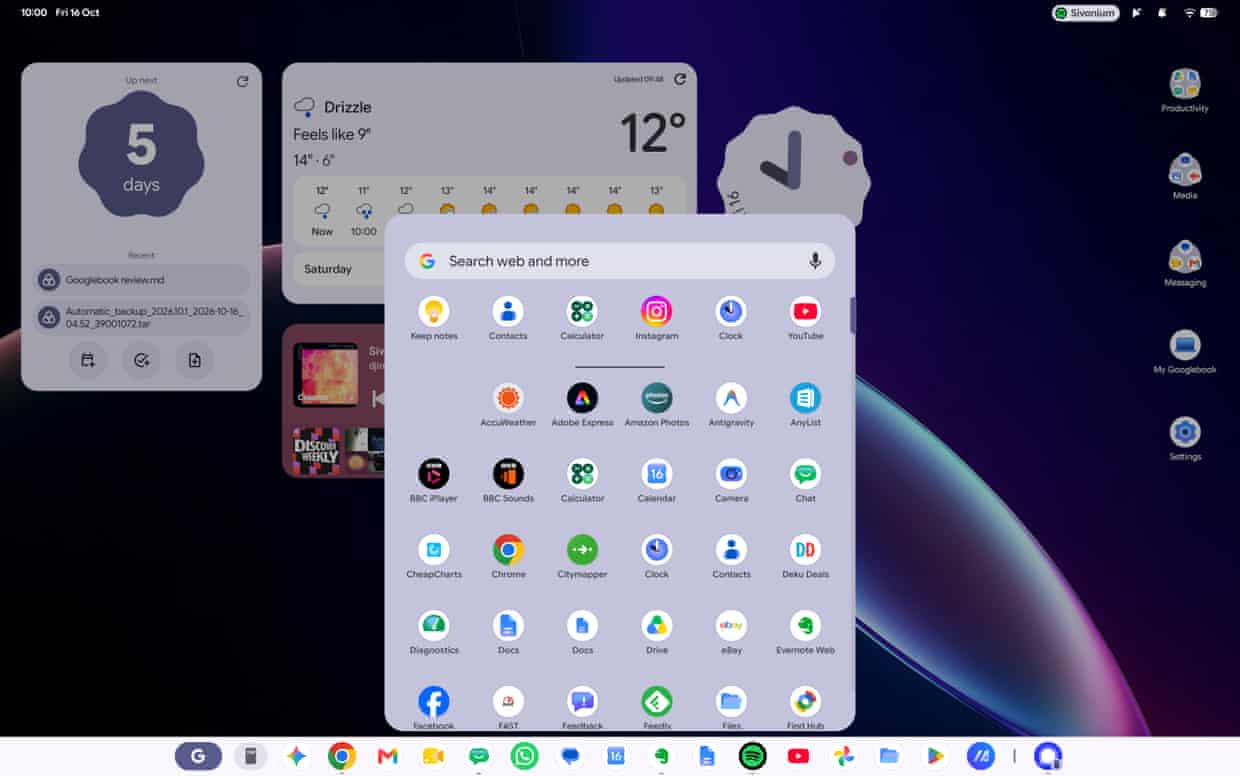
Top quality hardware aside, anyone familiar with a Chromebook would be forgiven for thinking it was ChromeOS running on these machines. It has the familiar taskbar at the bottom, Chrome-based web apps and access to Android apps.
But the software is essentially Android underneath, which means getting it up and running is just like setting up an Android phone: scan the QR code with your phone, enter a passcode and transfer your apps and accounts. It is all done and dusted in about four minutes, which is faster than setting up a modern Windows 11 machine even if you know all the shortcuts.
Access to the full gamut of Android apps is the GooglebookâÂÂs biggest strength and its greatest weakness. Practically any app you have on your phone can be installed and run on the laptop. But almost all those phone apps are just that, mobile versions, with most not even aware that they are not installed on a phone.
Those that have at least some tailoring to the laptop form come in a few different types, categorised by Google broadly under âÂÂcompatible with desktopâÂÂ, which means they should support mouse and keyboard controls; âÂÂoptimised for desktopâÂÂ, which means they should scale properly to the laptopâÂÂs display; and âÂÂmade for desktopâÂÂ, which are a handful of Android apps redesigned with the laptop in mind.
Only the last category really seems to make any difference to the quality of the app, and even then most of them are still not of the same calibre as their equivalents found on Windows or macOS.
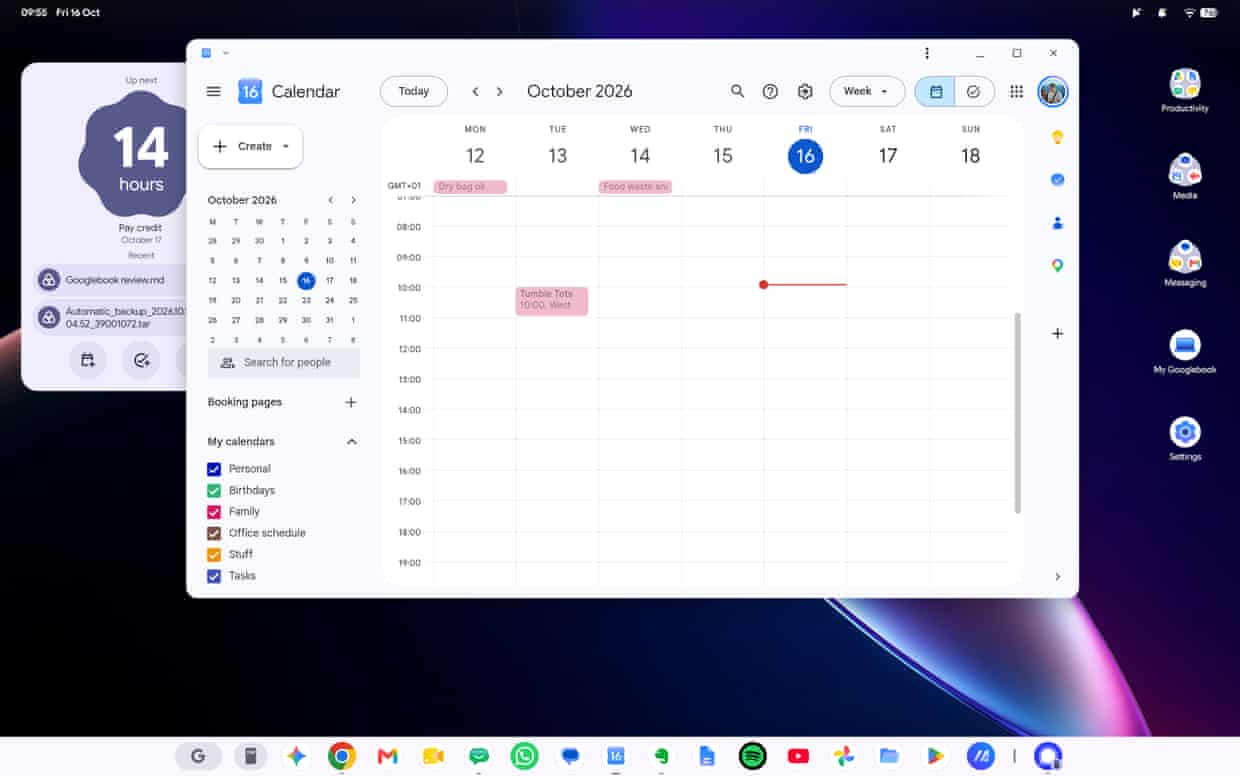
Even GoogleâÂÂs apps are a mixed bag. Google Calendar can only show one account at any one time, so you canâÂÂt see your personal, work and shared calendars on one screen like you can on Android.
Google Docs starts as its own app, but when you actually open a document it just becomes another Chrome window hidden behind the Chrome logo on the task bar, not the Docs logo.
The Files app shows your Google Drive files, but you canâÂÂt pin locations to the side bar to quickly access your commonly used folders, making it a time-consuming dig through endless folders to find things each time.
Even the Chrome browser is not quite up to par with its Windows or macOS counterpart, lacking features such as split-screen tabs, the auto-hiding vertical tab bar or the ability to have multiple profiles, such as a personal and work account.
Google has an app-gap problem and one that will only be solved if developers are convinced Googlebook OS is going to take off and be worth spending time and money making better apps for.
Bring your Android phone into your Googlebook
The other big selling point is deep integration with your Android phone. Google calls this âÂÂbetter togetherâÂÂ, which is a collection of features that mirror capabilities of iPhones with Macs or MicrosoftâÂÂs Link to Windows.
Some of the features are like magic. You can search the files on your phone straight from the Files app on the laptop without plugging it in, see your notifications from your phone, continue tasks on your laptop from your phone and even use apps cast from your phone.
As useful as these features sound, many are not up to scratch. Streaming apps from your phone is so slow that I feel as though I can type entire sentences before they appear on screen in chat apps, and it is restricted to one app at a time. If you click on a synced notification from your phone, it will open in a cast app, even if you have the full app installed on your Googlebook. Even viewing files on your phone from the laptop is irritatingly slow.
The only apps IâÂÂve reliably managed to get to appear with the ability to continue from where I was are Google Docs and Chrome on the phone.
It also took me two hours of troubleshooting to get an up-to-date Google Pixel 11 Pro to actually connect with the Googlebooks, despite using the phone to set them up in the first place.
Gemini
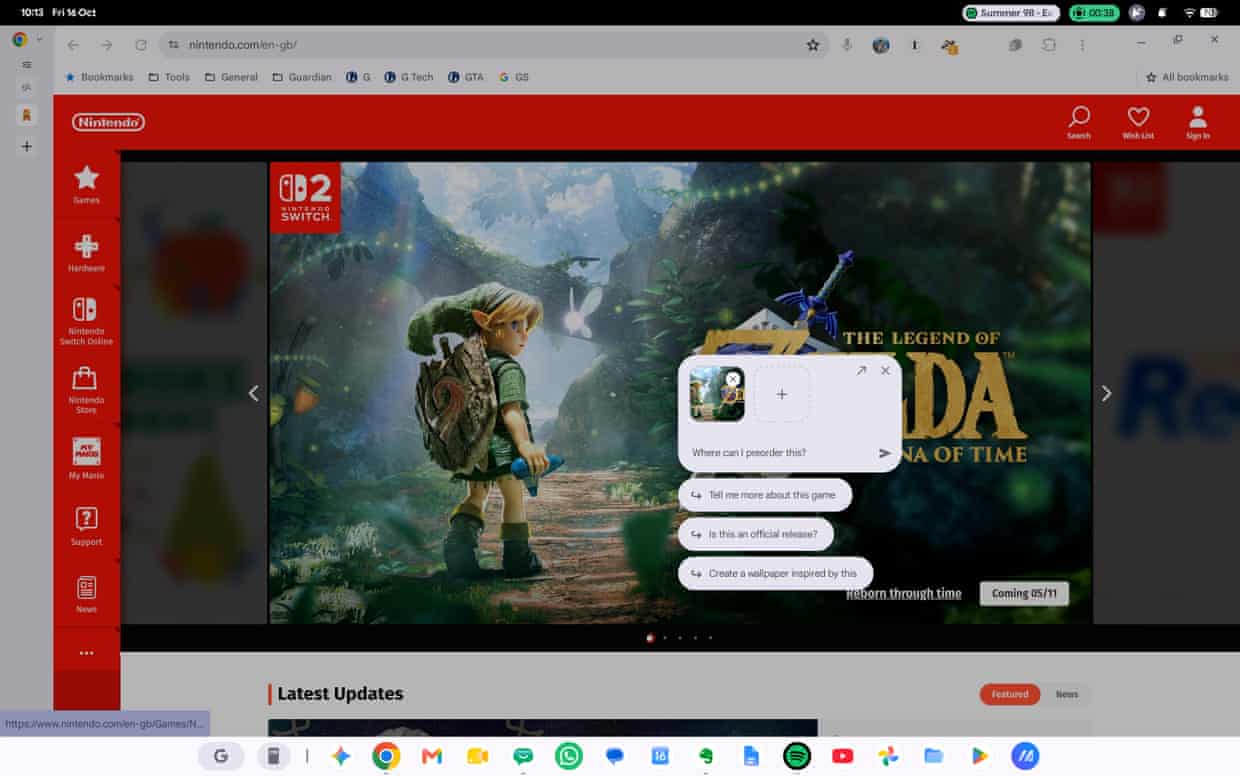
The other big selling point for Google is its Gemini integration into Googlebook OS. The Gemini app is just like it is on macOS and Windows. But it is the Magic Pointer feature, which appears when you wiggle the mouse to click or highlight something on your screen to send it to Gemini, that is the most novel.
You can use it to get Gemini to summarise text, explain something, search for things or generally chat. But I often hit a road block, such as Gemini refusing to generate images or saying it cannot add a date into my calendar in the mode Magic Cursor opens, which oddly isnâÂÂt within the desktop Gemini app. Sometimes it works, sometimes it doesnâÂÂt, and it is simply not joined up.
Magic Cue has been imported from GoogleâÂÂs Pixel phones, which is meant to pop up with helpful information such as calendar availability or a location in maps when you highlight a date or a place in a chat or email. But unlike on a Pixel phone, I have yet to get it to successfully activate in two weeks of testing.
GoogleâÂÂs super-charged voice dictation system called Rambler, also from the recent Pixels, does at least work as described. Press the dictation key and just speak naturally. Rambler will condense your speech into concise sentences removing filler words and errors.
Verdict
Googlebooks are full of excellent ideas about how a modern laptop should work. The hardware of the Acer and Asus machines IâÂÂve tested is top notch, but the software just isnâÂÂt ready for prime time.
When it works itâÂÂs great, but it is filled with limitations that might be acceptable on a super-cheap laptop but never on a ã1,000 premium machine.
Chrome is not as good as it is on a Mac or Windows PC. GoogleâÂÂs various apps are generally better on an Android phone and the third-party app ecosystem is a mess of poorly optimised mobile apps. Even the best desktop-optimised Android apps pale by comparison to their counterparts on Windows or macOS.
The Android phone-linking system should be the killer feature, but it is partly broken or simply not up to scratch. Even the Gemini integration is flakey.
Most of the Google-specific issues and software bugs are eminently fixable. But the app gap will take serious time, effort and money to convince third-party developers to fix.
Unless you want to spend at least ã1,000 to be a beta tester, your money is better spent elsewhere for now.